
L1 Login & Registration
Access your L1 (L1.GAME) player dashboard, claim your ₹200 registration chest, and manage your instant UPI withdrawals.
Access Your Player Account
To log in or register a new account, launch the official app installed on your smartphone or access the web app.
Step-by-Step Account Registration
Follow these simple steps to successfully create your profile and activate your bonuses.
Open L1 & Tap Sign Up
Launch the application or visit our web platform. Tap the yellow Sign Up button at the top right of the screen.
Enter Your Mobile Phone Number
Input your active 10-digit Indian phone number (+91). Ensure it is capable of receiving SMS messages.
Set a Secure Password
Choose a password between 6 and 16 characters. We recommend combining letters and numbers for higher security.
Verify SMS OTP & Confirm
Tap "Send OTP", input the 6-digit verification code received on your phone, and tap Confirm. You are now logged in!
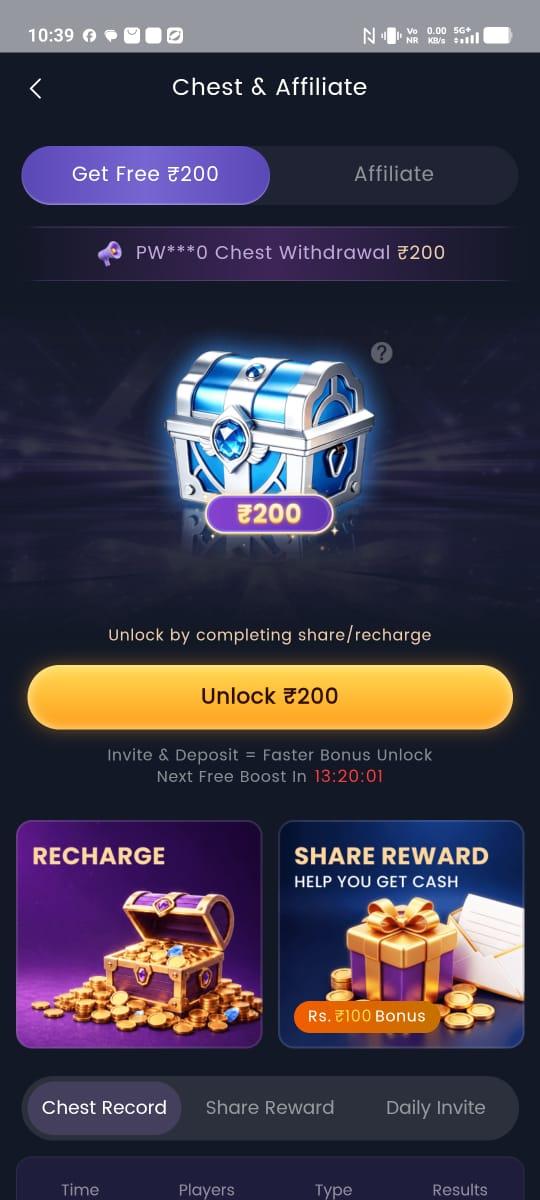
Unlock Your ₹200 Free Bonus Chest
Navigate to the Chest tab on the bottom menu bar and tap "Unlock ₹200" to credit your starting bonus!
Login & Account FAQs
How do I create a new account on L1?
Install the L1 app or open L1-in.com, tap 'Sign Up', enter your 10-digit Indian mobile number, set a password, enter the SMS OTP, and tap Confirm. You will immediately be eligible for the ₹200 free welcome chest bonus.
What should I do if I forgot my L1 password?
On the login screen, tap 'Forgot Password', enter your registered mobile number, request an SMS OTP, and set a new password. Your account balance will remain intact.
Can I log in on multiple devices at the same time?
You can access your L1 account on different devices, but for security purposes, active sessions will switch to the newest logged-in smartphone.
Can I create multiple accounts to get more bonuses?
No. L1 enforces a strict single-account policy per user/device. Creating multiple duplicate accounts violates fair play rules and can result in bonus forfeiture.